
Built for lawyers
Every call and meeting becomes a file note, a time entry and a follow-up draft. You review and send.
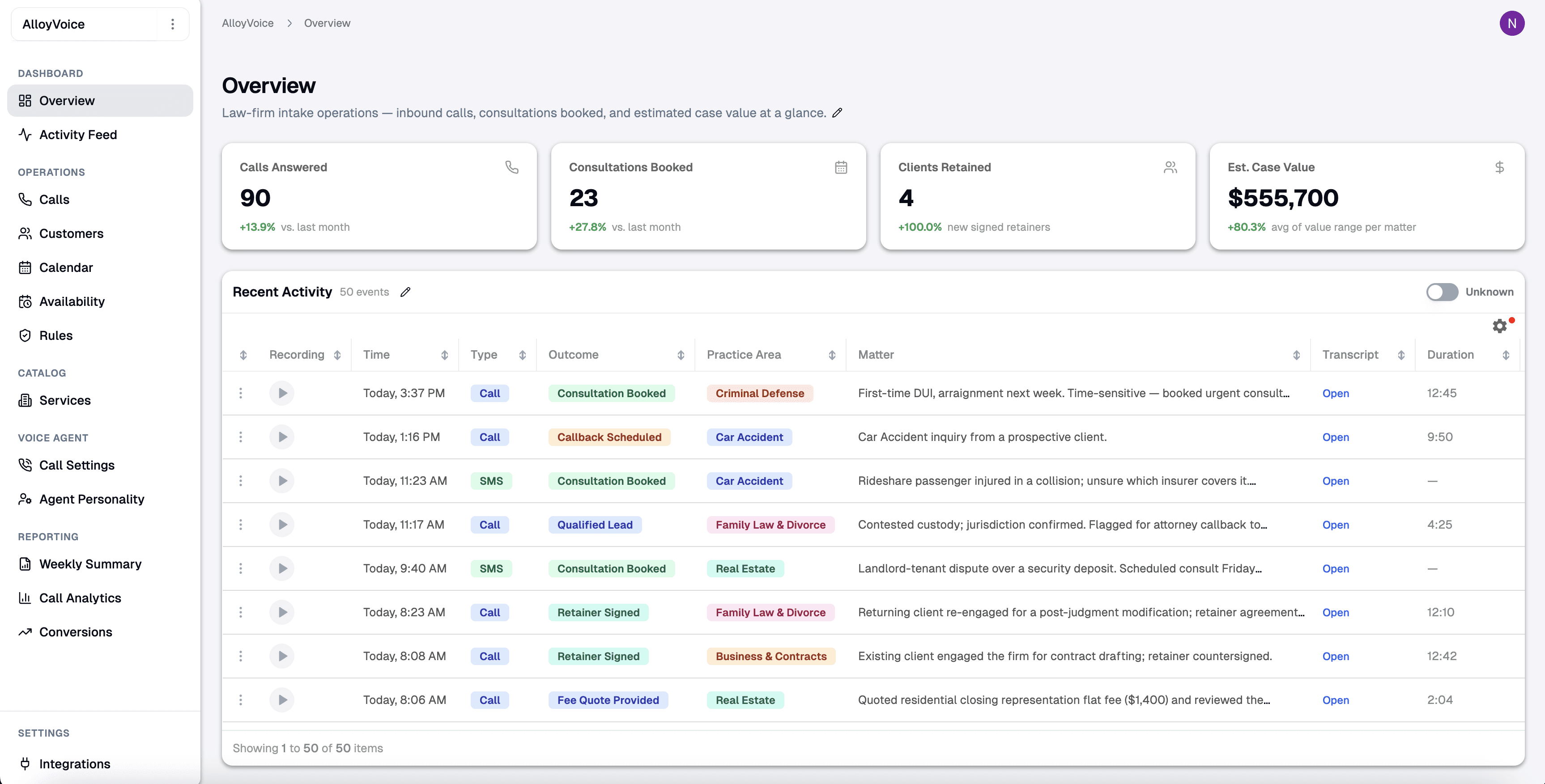
The paperwork, done while you talk
Every client conversation leaves three things to do: write the note, record the time, send the follow-up. AlloyVoice has all three ready by the time you hang up.
01File note
The file note, written for you
Who was on the call, what was discussed, what was agreed and what happens next, in your firm’s format. The note is filed to the matter with the recording and the full transcript attached. Review it in a minute instead of typing it in fifteen.
02Time entry
Time recorded to the minute
Every call and meeting is timed from hello to goodbye and turned into a time entry with a narrative, ready to bill. Nothing gets reconstructed from memory on Friday afternoon.
03Follow-up email
The follow-up, drafted for you
An email to the client with the next steps, the dates and the documents you asked for, in your tone. Read it, change a line if you like, send it. Nothing goes out without you.
Your next call is the first one on the record
No new phone system, no software project. AlloyVoice works with the phone line, the calendar and the tools your firm already uses.
Connect your phone line and calendar
Forward your business line to AlloyVoice and add it to your calendar. It joins scheduled calls and meetings on its own.
Talk to your client as usual
Take the call or run the meeting the way you always have. AlloyVoice records and transcribes, and announces the recording where your state requires it.
Review, bill, send
Minutes later the file note, the time entry and the follow-up draft are waiting in your dashboard. Approve all three in one pass and move on to the next matter.
Everything it does
Everything a law firm needs from its notes
- Call recording
- Meeting notes
- File notes in your format
- Time entries
- Follow-up drafts
- Full transcripts
- Matter summaries
- Searchable history
- 24/7 call answering
- Consultation booking
Built for your area of law
Family, personal injury, criminal defense, immigration and more. Pick your practice to see how AlloyVoice handles its calls.
- Personal InjuryCrash victims call from the roadside and the hospital, at any hour. Answer first, capture the facts and book the consultation.Learn more
- Criminal DefenseArrests happen at midnight and the family calls from the precinct parking lot. Be the firm that answers.Learn more
- Family LawDivorce and custody callers rarely leave a voicemail. They call the next firm. Answer first, and with care.Learn more
- ImmigrationImmigration callers want answers now, and the firm that responds first gets the case. Detention calls cannot wait until morning.Learn more
- Estate Planning & ProbateGrieving families and cautious planners both call when they are finally ready. Answer with patience and book the meeting.Learn more
- Employment LawSomeone just lost their job and is calling from the parking lot at 5:30pm. Answer while the details are fresh.Learn more
- Bankruptcy & Debt ReliefDebt callers are embarrassed and often call late at night. Answer without judgment and book the consultation.Learn more
- Workers’ CompensationInjured workers call from the job site, the clinic and the break room. Answer first and capture the claim.Learn more
Where the hours go today
Every lawyer already takes notes, records time and writes follow-ups. The only question is who does the typing.
Doing it yourself
Notes typed up from memory, hours later
Time reconstructed in six-minute increments at the end of the week
Follow-up emails written at 7pm
Recordings nobody has time to listen to
Calls missed while you are in a meeting
AlloyVoice
File note written as you hang up
Time entry captured to the minute, narrative included
Follow-up drafted and waiting for your approval
Searchable transcript of every conversation
Calls answered, qualified and booked when you cannot pick up
Built for firms that handle sensitive matters
A client conversation holds the most sensitive details a person will ever share. Here is how AlloyVoice protects them.
Encrypted in transit and at rest
Calls, recordings and transcripts travel over TLS and are stored encrypted on secure cloud infrastructure, behind access controls that are reviewed regularly.
Every call on the record
Each call is logged, transcribed and time-stamped, with the recording a click away in your dashboard, so every intake is auditable.
Stays inside the lines
The agent gathers intake details and books consultations without ever giving legal advice. Scripts are reviewed for your practice area before going live.
Honest about being an AI
The agent never claims to be human: if a caller asks, it says it is an AI. Whether it announces that up front is your setting, so you can match your state’s disclosure rules.
No passwords or card numbers stored
Sign-in and payments are handled by dedicated identity and payment providers. AlloyVoice never stores your password or your card details.
Your data, your call
Export recordings and transcripts in a portable format, or ask us to delete specific calls or your whole account, at any time.
Questions lawyers ask first
Everything you need to know before AlloyVoice joins your next call.
Both. Calls are recorded through your business line or the AlloyVoice app. For meetings, AlloyVoice joins from the calendar invite, or records from your phone when you are in the room.
That is your setting, because consent rules differ by state. AlloyVoice can announce the recording at the start of every call and meeting, and it never claims to be human: if anyone asks, it says it is an AI.
Into your AlloyVoice dashboard, organized by client and matter, with the recording and the transcript attached. Export any note, time entry or transcript in a portable format whenever you like, or ask us to delete them.
No. It listens, transcribes and writes; it never advises. If you also use it to answer calls you cannot take, it follows your intake script, books the consultation and says it is an AI whenever asked.
A transcription app hands you a wall of text to read later. AlloyVoice hands you the file note, the time entry and the follow-up draft in your format, and keeps the transcript one click away for when you need the exact words.
Most firms are live in a day: connect your line and your calendar, choose how you want notes formatted, and the first note arrives after your next call.
Cancel anytime. No long-term contracts, no cancellation fees. We also offer a 30-day performance guarantee.

Your next call, already written up
See AlloyVoice take the notes on a real call in a 20-minute demo.